The Download Question: What Actually Works
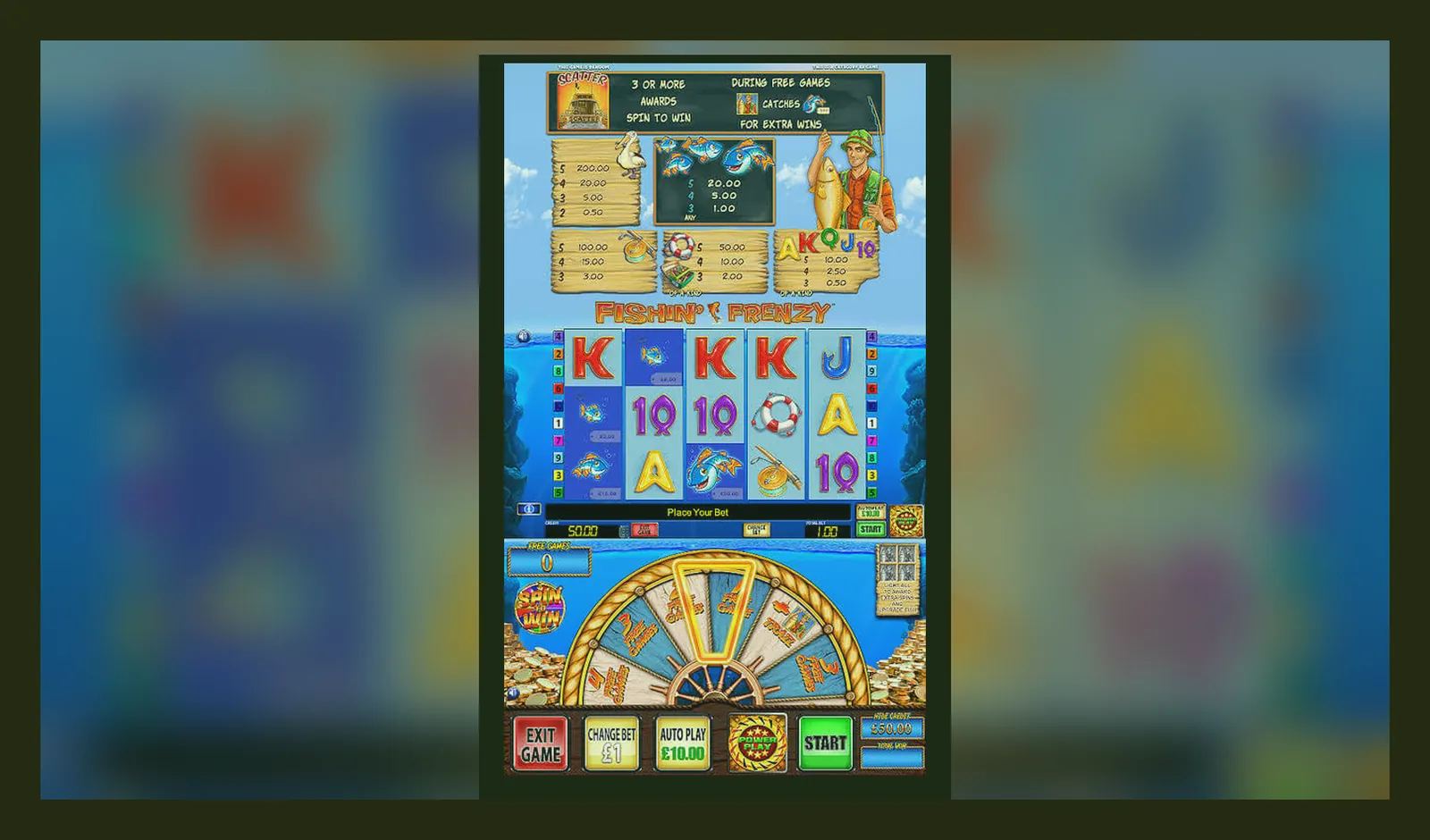
Here's what's not quite right: there is no official Fishin' Frenzy app. Not from Blueprint Gaming, not from any UKGC-licensed operator. The game runs in mobile browsers, and that's the intended design. Everything else — third-party APKs, suspiciously titled apps in stores, unofficial wrappers — sits somewhere between pointless and risky.
Support teams at British casinos field dozens of app questions every week. Players expect a native app because most modern software lives in app stores, but slots work differently. This page answers the download question from every angle: what exists, what doesn't, what works, and what you should avoid.
What People Think They're Looking For
The question arrives in three forms. First: «Is there a Fishin' Frenzy app?» Second: «Where do I download the APK?» Third: «Why can't I find it in the Play Store?»
All three stem from the same assumption — that every game should have a standalone app. That's true for Candy Crush or PUBG, but online slots work through casino platforms. Blueprint Gaming licenses Fishin' Frenzy to operators; those operators embed the game in their own platforms. You're not downloading Fishin' Frenzy. You're accessing it through a UKGC-licensed site, in a browser or the operator's own app.
Some operators do have real-money gambling apps in the App Store and Google Play — both platforms allow them in the UK if the operator holds a valid licence. Those apps give you access to the operator's full catalogue, including Fishin' Frenzy. But the game itself has no standalone presence.
The Browser Route (Simplest, Safest)
Every UKGC-licensed casino that carries Fishin' Frenzy runs it through HTML5. That means any modern mobile browser — Safari on iOS, Chrome on Android — can load the game without installing anything. The catch: you need an account, and that account must be age-verified before you can play for real money. Demo play, where available, also requires login on most UK sites due to identity checks.
Steps to play in-browser:
- Open the operator's site in your mobile browser and log in.
- Search for Fishin' Frenzy or navigate to the Blueprint Gaming section.
- Tap the game tile. It opens in full-screen mode.
- Adjust your stake (subject to the £5 cap per spin, or £2 if you're 18–24) and play.
Performance is identical to a native app — modern browsers handle WebGL and audio without lag. The only downside: you don't get a home-screen icon unless you add one manually.
Adding a Shortcut to Your Home Screen
Both iOS and Android let you pin websites as if they were apps. The icon sits on your home screen, and tapping it opens the site in full-screen mode without browser chrome. It's a web app, not a native one, but the experience is nearly identical.
iOS (Safari):
- Open the operator's site in Safari and navigate to Fishin' Frenzy.
- Tap the Share icon (square with an up arrow) at the bottom.
- Scroll down and tap «Add to Home Screen».
- Name it something you'll recognise — «Fishin' Frenzy» or the operator's name — then tap «Add».
Android (Chrome):
- Open the site in Chrome and navigate to the game.
- Tap the three-dot menu in the top-right corner.
- Tap «Add to Home screen».
- Confirm the name and tap «Add». The icon appears on your home screen.
Risk: none. You're pinning a bookmark; the game still runs through the operator's secure infrastructure, and you're still subject to UKGC protections — affordability checks from £150 net deposits a month, GAMSTOP exclusions, and full licensing oversight.
Operator Apps: The Legitimate Option
Some UKGC-licensed operators publish their own casino apps in the App Store and Google Play. These are real-money gambling apps that give you access to hundreds of slots, including Fishin' Frenzy, in a native interface. They require the same age and identity verification as the website, and withdrawals go through the same KYC checks — documents before your first cashout, usually processed within 24 to 48 hours.
To find an operator app:
- Check the operator's website footer. If they have an app, they link to it there.
- Verify the app is published by the operator (not a third party) before downloading.
- Install from the App Store or Google Play only — never sideload casino apps.
- Log in with your existing account or create one through the app.
The app experience is polished: faster load times, push notifications for bonuses, and sometimes better loyalty features. But it's still the operator's platform, not a Fishin' Frenzy standalone. If the operator offers a welcome bonus — say, 50 free spins on first deposit — check the wagering requirement. Thirty-five times is standard in the UK; conditions change, so read the current terms on the site before depositing.
APKs and the Risk Spectrum
«APK» appears in search because Android users assume every app has a downloadable installer file. Legitimate apps are distributed through Google Play; APKs from third-party sites bypass that vetting. In gambling, that's a red flag.
Why APKs are risky here:
- No UKGC licence: any app that asks for real money but operates outside the UKGC register is illegal to use in the UK.
- Credential theft: fake casino apps harvest login details, payment info, or identity documents submitted for verification.
- Malware: APKs from unknown sources can install spyware, adware, or ransomware alongside the game.
- No player protection: GAMSTOP doesn't apply, affordability checks don't exist, and disputes have no regulator to escalate to.
If you've already installed an APK for Fishin' Frenzy, check your phone's app permissions. Red flags: access to contacts, SMS, call logs, or camera when those aren't needed for a slot game. Slots need internet and storage (for cache); anything beyond that is suspect. Uninstall it, change your passwords, and check your bank statements.
What a Fake Clone Looks Like
Fake Fishin' Frenzy apps appear in two contexts. First: social casino apps that mimic the game's look but use virtual currency instead of real money. Second: outright scams that present themselves as the official game and ask for deposits.
Spotting a fake:
- Publisher mismatch: Blueprint Gaming doesn't publish consumer apps. If the developer name is anything else, it's not official.
- No UKGC reference: legitimate UK casino apps mention their licence somewhere in the description or screenshots. Check the UKGC public register and match the number.
- Impossible promises: «guaranteed wins,» «hack the RNG,» or «unlimited spins» are fiction. Slots use certified RNGs; no app can override that.
- Payment methods that don't fit UK rules: credit card deposits (banned since 2020) or crypto-only withdrawals suggest an unlicensed operation.
- Poor localisation: prices in dollars, US-centric language, or missing affordability and safer-gambling messaging.
Social casino versions are legal but pointless if you want real-money play. You can't withdraw winnings because there are no winnings — it's Monopoly money. If you've deposited into a fake app, contact your bank immediately to dispute the transaction and report the app to Action Fraud.
The Store-Style Breakdown (If It Existed)
For comparison, here's what an official Fishin' Frenzy app card might look like if Blueprint Gaming published one. It doesn't exist, but this gives you the template to judge anything claiming to be it:
Any app that deviates from this template — especially around developer name, age rating, or payment structure — is not the real thing. If an app asks for more permissions than internet and storage, question why.
Requirements and What Actually Happens
Phone requirements for browser play are minimal: iOS 13 or Android 8 and up, 2 GB of RAM, and a stable connection. The game loads in under five seconds on 4G; Wi-Fi is smoother. Older devices (iPhone 6s-era or Samsung Galaxy S7-era) can stutter during the free-spins round when multiple fish symbols animate at once, but most phones from the last four years handle it fine.
What the game does, mechanically: it's a 5-reel slot with 10 paylines, a fisherman wild, and a free-spins feature triggered by three or more scatter symbols. Volatility is medium-to-high, meaning long dry spells followed by clustered wins. RTP sits at 96.00% on the standard version — some operators run lower configurations, so check the paytable before playing. The £5 stake cap applies to every spin; players aged 18 to 24 face a £2 cap instead.
What's new in the latest iteration: Blueprint released «Fishin' Frenzy The Big Catch» in 2021 and «Fishin' Frenzy Even Bigger Catch» in 2024. Those are sequels, not updates to the 2014 original. The core game hasn't changed materially since launch; operators update their platform wrappers (faster load times, better session persistence) but the reels themselves remain static.
Withdrawals follow standard UK timings: e-wallets like PayPal process in a few hours to 24 hours; Faster Payments to your bank take the same day to two working days; debit card withdrawals stretch to one to three working days. Your first cashout will be slower because of KYC — documents must be reviewed before funds release. After that, repeat withdrawals are quicker. Winnings are tax-free; the operator pays the 40% Remote Gaming Duty introduced in April 2026, not you.
FAQ
Can I play Fishin' Frenzy offline after downloading it?
No. The game always requires an internet connection to the operator's server. Even if a fake APK claims offline play, real-money slots must connect to a licensed RNG server to function legally. Offline versions are either demos with fake currency or scams.
Why do some sites ask me to log in before I can try the demo?
UKGC rules require age verification before any gambling activity, including free play. Many operators interpret that to mean you must have an account — and therefore be 18 or over — even for demo mode. It's a compliance measure, not a trick to force deposits.
I'm blocked by GAMSTOP but found an app that still lets me play. Is that safe?
No. If you've registered with GAMSTOP and an app lets you deposit, it's operating outside UKGC oversight. That means no licence, no player protections, and no legal recourse if something goes wrong. GAMSTOP blocks all UKGC sites for six months to five years, depending on your choice. Unlicensed sites are illegal to market in the UK; using them puts your money and data at risk.
What's the difference between the operator's app and the browser version?
The game itself is identical — same reels, same RTP, same features. Operator apps offer a native interface, push notifications, and sometimes exclusive bonuses, but you're still playing through the same UKGC-licensed platform. Browser play requires no install and works on any device. Choose based on convenience; the maths doesn't change.